




Sync your files across devices with ease

Stop emailing files to yourself.
Your ExtraDock shelf carries them between every Mac you use.
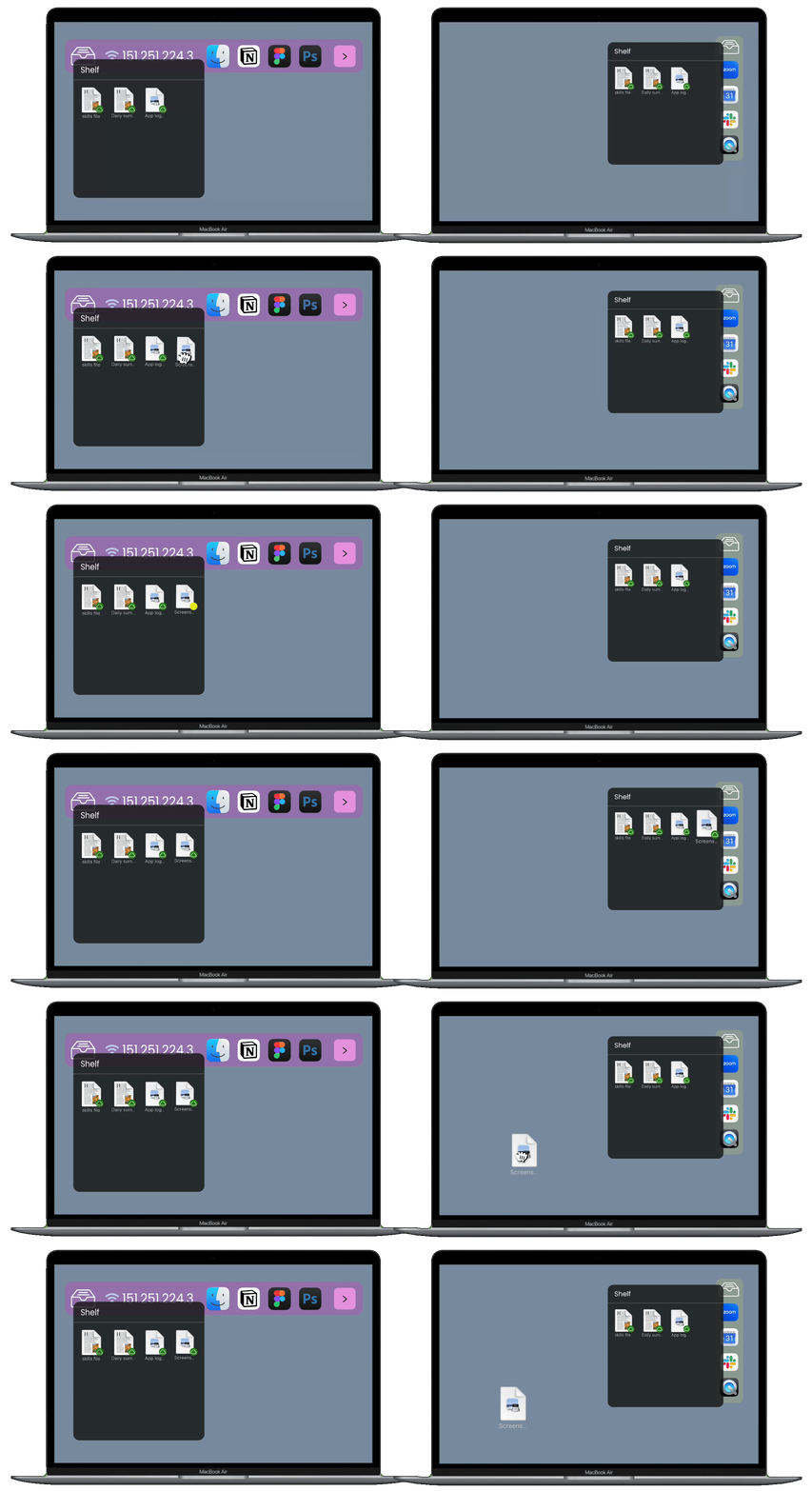
Sync demo across Mac devices

One shelf, every device

Different Macs,
Same files

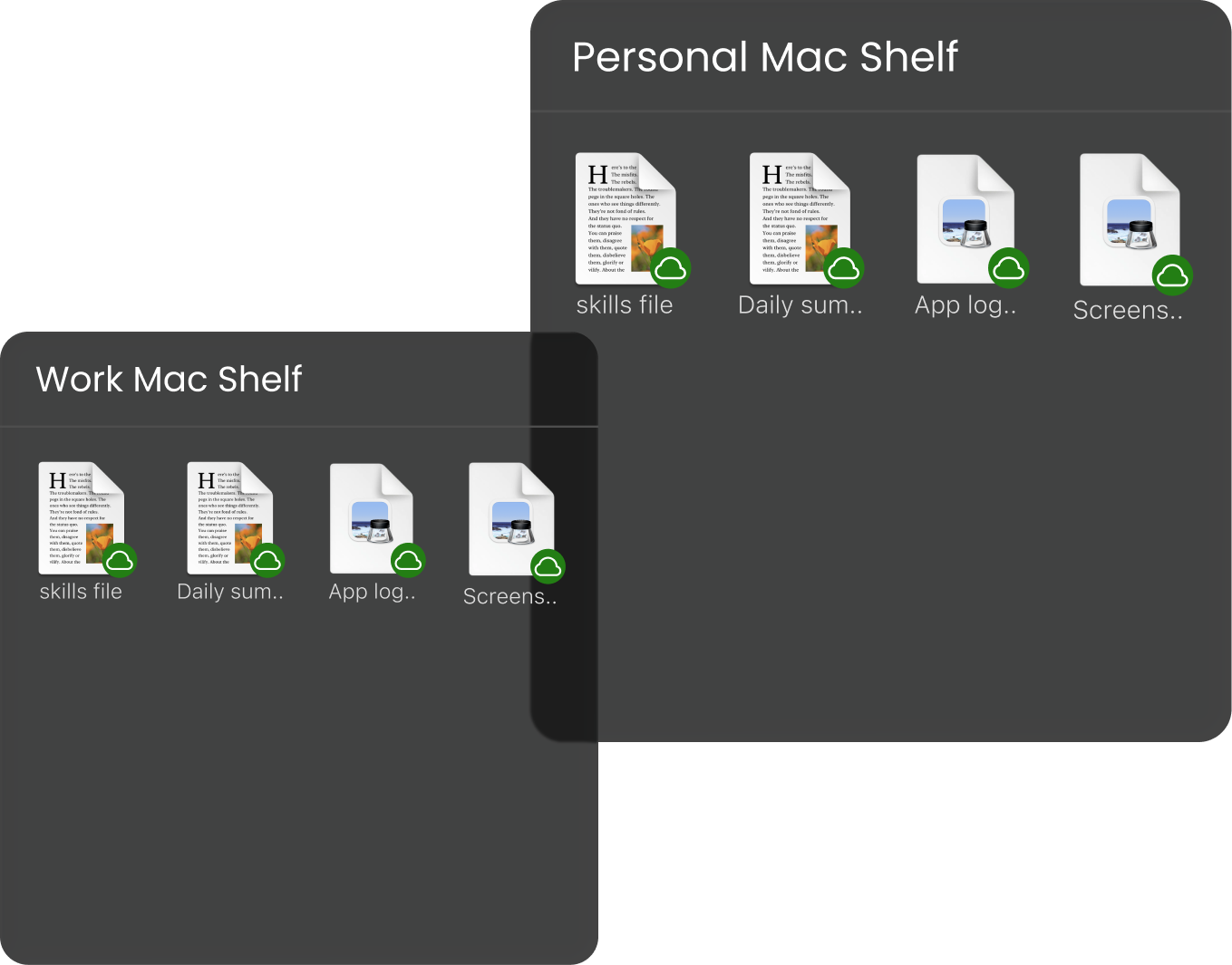
The ExtraDock shelf is everywhere you sign in. Put a file on it from your work Mac and it's on your home Mac too. Switch machines and just keep going. Your files don't get left behind.

Management portal
Personal Mac and Work Mac shelves showing the same files

Share files between your
team, in your Dock

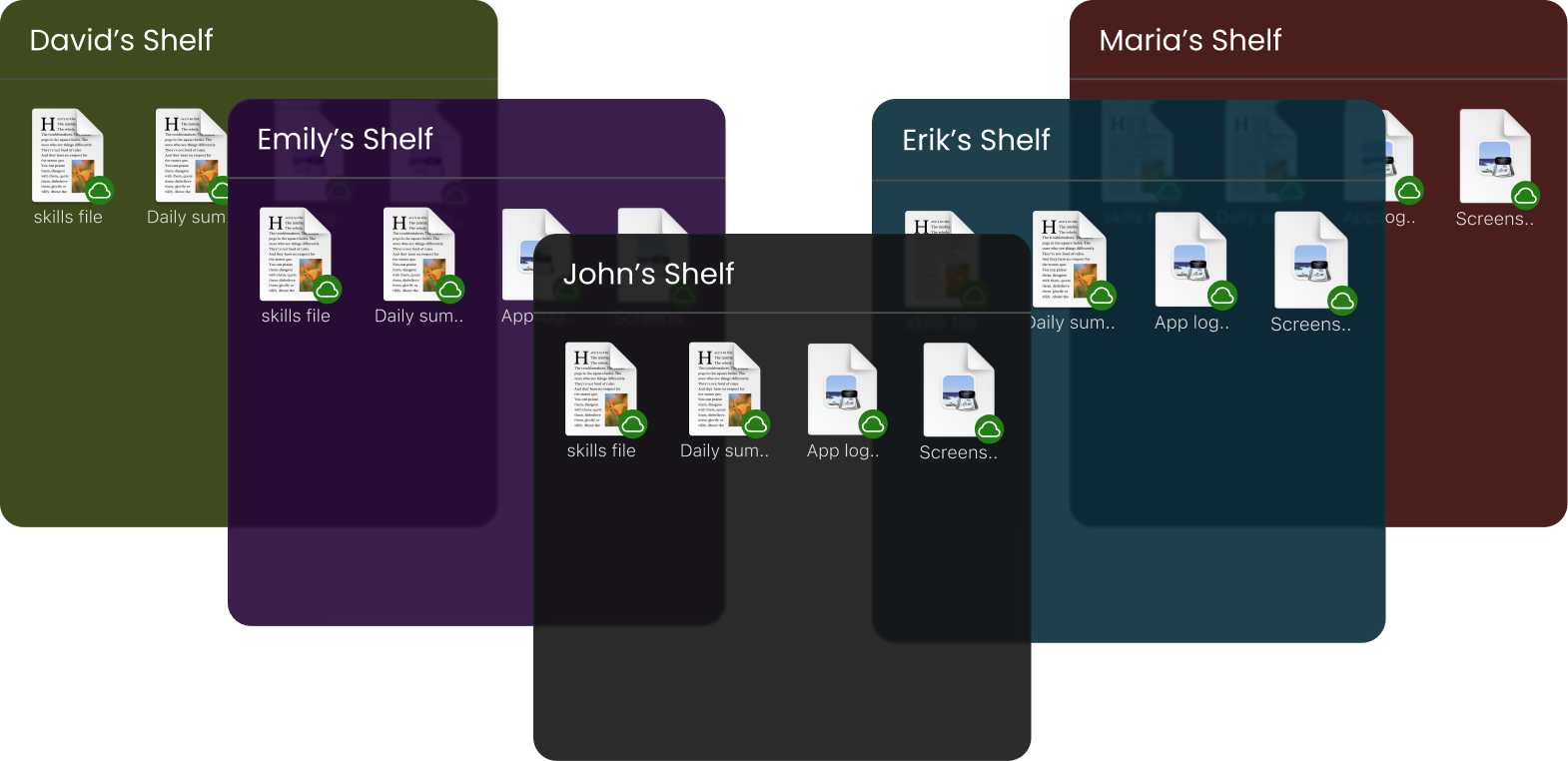
If you are a team that have ExtraDock, you can share files across your team in the shelf widget. Perfect for quick share and access — the files are always one click away, for everyone.

Management portal
Multiple team-member shelves stacked together in the Dock

Quick setup

A short walkthrough on getting your cloud storage connected.

FAQ

Cloud Storage gives Appit apps the ability to sync files through the cloud. Once it's connected, any file you save through a supported app like ExtraDock, ExtraBar (soon), or Shiori (soon) syncs across every Mac you sign in on. The amount of space you get depends on the plan you choose.

Cloud Storage works on any device with an Appit app that supports the Cloud Shelf. Right now that means Macs running ExtraDock, ExtraBar (soon), or Shiori (soon). Sign in with your Appit account on each one and the shelf shows up automatically.

Yes. Your files are kept private to your Appit account. Only you can open them when you sign in, and we don't share them with anyone. They're safe in the cloud until you need them.

No. Cloud Storage isn't a backup. The Cloud Shelf is for passing files between your devices, so moving a file off the shelf removes it from the cloud. If you want to keep it there, copy the file instead of moving it.

Cloud Storage is built for personal use, so your files sync across every device you have. Sharing files with other people isn't part of the personal plan. If your team needs shared storage, reach out to us about a business plan.

Be the first to hear about our new upcoming services and updates!

Thanks for subscribing!